

27 Criteria for a High-Quality Website in 2027
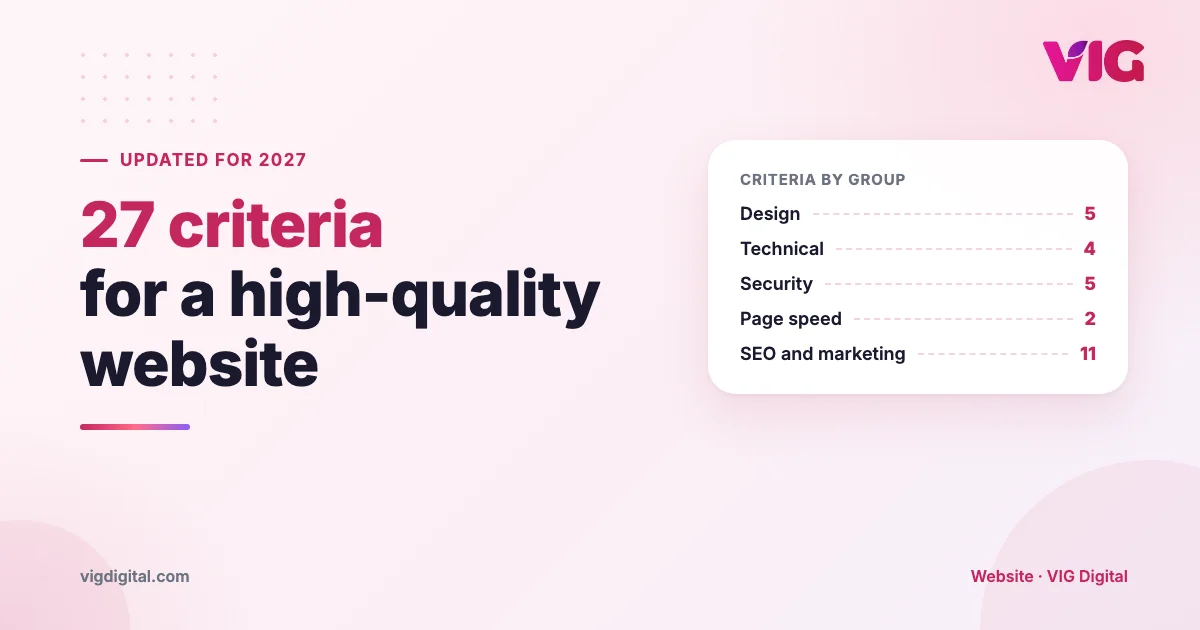
Having built and improved more than 100 websites, and run or marketed about half of them, we have put together 27 key criteria that answer the question “what makes a website high quality?”. We will keep adding to the list over time, based on what we learn and what readers suggest.
A high-quality website meets clear standards for design, functionality, technical foundations and marketing support, so it serves both the information needs of readers and the communication needs of the business. It also has to keep meeting those standards over time.
This update for 2027 adds 4 new criteria: accessibility, vulnerability monitoring, personal data protection and AI search readiness. The existing criteria have also been rewritten to reflect current standards.
Please note that these criteria suit business websites, which provide information and basic interaction. Specialist sites such as marketplaces, web apps and streaming platforms need more criteria, and go deeper technically.
Design criteria
1. Design that reflects your brand
Your website is the face of your brand online, so its design should carry your brand’s visual identity (often called the Key Visual). The main elements to look after are:
- Logo
- Color palette, with primary and secondary colors
- Typography: typefaces, sizes and weights
- Layouts and shapes that express the character of your brand
Also keep the “above the fold” area in mind. This is the part of the page visible on load, before any scrolling, and it must make your brand stand out.
2. Modern UX/UI
UX stands for User eXperience. Pay attention to your visitors’ habits and how they feel when using the site: can they find what they need quickly, and do they know what to click next?
UI stands for User Interface. Besides following your brand guidelines, the interface should also look good in the eyes of the people who use it.
3. Responsive design
A responsive website displays well across screen sizes, usually grouped as desktop, tablet and mobile. For most business websites, it pays to design and test on mobile first, since Google also looks mainly at the mobile version when it evaluates a site.
Building a responsive site takes close cooperation between designers and developers, and adherence to web standards.
Pay special attention to tables, which are very hard to read on mobile devices.
4. Engaging effects
A website should do more than look good. It should also respond to the people using it. Simple effects can hold a reader’s attention, as long as they do not slow the page down or cover the main content.
5. Accessible to everyone
New for 2027. A good website must work for older people, people with low vision and people who do not use a mouse. The international standard for this is WCAG 2.2. You can start with the basics:
- Normal text has a contrast ratio of at least 4.5:1 against its background
- Images that carry information have a description (the alt attribute)
- The whole site can be used by keyboard, with a visible indicator of where you are
- Forms have clear labels and easy-to-understand error messages
Technical criteria
6. Up-to-date software versions
Updating your smartphone’s operating system and apps gives you the newest and best features. The same applies to high-quality websites: current software runs better and smoother, and is more secure.
Besides the website’s own code, do not forget the PHP version on your server. Old PHP versions no longer receive fixes, as the recent PHP security patches show.
7. One version: www or non-www
Your website should have only one version, www or non-www, with the other redirecting to it with a 301. This keeps your content from being duplicated on Google, which matters a great deal for SEO.
8. HTTPS
HTTPS with an SSL certificate makes your website safer. Browsers also stop showing the “Not secure” warning, which makes your site more trustworthy to visitors.
Most hosting providers now offer free SSL certificates (Let’s Encrypt). Once installed, redirect all HTTP traffic to HTTPS and keep an eye on the certificate’s expiry date.
9. Ready to be upgraded over time
Technology changes quickly, and many new features will arrive in the future. Your website needs to be ready for them. With a well-known CMS such as WordPress, you can easily move to new versions as they come out.
Security criteria
10. Brute force protection
Brute force is a classic way of guessing a website’s admin username and password. Automated tools can keep trying for months without you noticing. You should have measures such as:
- Not using ‘admin’ as a username
- Long passwords of at least 12 characters, not reused anywhere else
- Two-factor authentication for admin accounts
- Blocking IP addresses after repeated failed logins
Read more: Secure your WordPress login in 3 steps.
11. File change monitoring
Once a website is live, most source files stay the same unless your technical team edits them. If source files suddenly change, your website may well be under attack.
You should install a tool that monitors source file changes, so you can spot the risk early.
12. Regular automatic backups
Backups are often overlooked, until something goes wrong and they become extremely urgent. Many important websites with strong SEO have been lost entirely because nobody backed them up.
Automatic backups are a mandatory process for client websites. To make them more effective, we back up at the website level with a plugin and at the hosting level. Backups should also be stored outside the website’s server, and you should test a restore from time to time to make sure they work.
13. Vulnerability monitoring and timely updates
New for 2027. Most websites are attacked through plugins and themes that have not been updated. In the week of October 26 to November 1, 2026 alone, there were 308 new vulnerabilities in WordPress, plugins and themes.
A high-quality website needs someone responsible for tracking these vulnerabilities, updating on time, and removing plugins and themes that are no longer used.
14. Personal data protection
New for 2027. Privacy laws keep getting stricter, from the EU’s GDPR to Vietnam’s Personal Data Protection Law (No. 91/2025/QH15), in force since January 1, 2026. Any website with a contact form, sign-up form or order form collects personal data, so you should:
- Collect only the information you really need
- State the purpose clearly and ask for consent right at the form
- Have a clear Privacy Policy page
- Limit who can see customer data in the admin area
Specific requirements vary by country, industry and business size, so check with a legal advisor.
Page speed
15. Passing Core Web Vitals
A fast website keeps visitors from waiting and uses fewer server resources. Rather than only measuring “how many seconds it takes to load”, Google uses a set of metrics called Core Web Vitals, with these thresholds for a good result:
- LCP (how fast the main content appears): at most 2.5 seconds
- INP (how fast the page responds to interaction): at most 200 milliseconds
- CLS (how stable the layout is): at most 0.1
You can measure these for free with PageSpeed Insights. The biggest factors are oversized images and video, website code, third-party scripts (chat, ads, analytics) and caching.
16. Optimized image file sizes
Images are one of the main causes of slow websites. On many sites, images are uploaded without being resized at all, which makes pages very heavy. Use WebP or AVIF, serve images at the size they are displayed, and lazy load the ones below the first screen.
Read more: Best image compression plugins.
SEO and marketing
17. Indexed by Google
This is the most important factor for appearing on Google. There are two common reasons a website is not indexed: the developers “forgot” to turn off the Google bot block used during development, or the website violates Google’s policies. You can check this in Google Search Console.
18. Complete SEO tags
SEO standards are a key requirement for high-quality websites today. A website needs Title, Meta Description, Headings, canonical tags and a sitemap. You can check these with tools such as Screaming Frog or Website Auditor by SEO PowerSuite.
19. Content optimization tools
For Google to rate your website highly, content quality needs as much attention as the technical side. Beyond basic tags such as Title, Meta Description and Headings, a website should have tools for checking keywords, setting canonical URLs and checking internal and external links.
These tools are especially useful when the person managing the content does not know much about SEO, as they make it easier to follow Google’s standards.
20. Ready for AI search
New for 2027. Google now answers directly with AI Overviews and AI Mode. According to Google, websites need no special optimization or special schema to appear in these features. A strong SEO foundation remains the main requirement:
- Do not block search engines in robots.txt, at your CDN or at your hosting
- Make important content available as text, with internal links so it can be found
- Keep structured data (Schema) consistent with the content visible on the page
- Answer clearly, and include company details, authors and credible evidence
21. Email sign-up form
In fields that need a lot of customer communication, such as schools, training centers and B2B, email is a highly effective, low-cost channel.
Your website should encourage visitors to leave their email, for example to download a document, request a quote or start a trial. You can then use Email Marketing or Marketing Automation software to nurture these leads and turn them into customers.
22. Fast ways to get in touch
Whenever customers want to contact you, they should be able to do so right away, without searching. Put your phone number at the top, in the middle and at the bottom of the site so it is easy to spot. You should also have a floating contact button available at all times.
It also helps to offer several contact methods, to suit each visitor’s habits and urgency. Someone in a hurry may call straight away, while someone who wants to talk things over may prefer WhatsApp or Messenger. Read more: WordPress contact button plugins.
23. Displays well when shared on social media
Your website does not live on its own. It also spreads on Facebook, LinkedIn and other networks. It therefore needs complete Open Graph tags (title, description, image), so nothing is lost when a page is shared.
24. Google Analytics installed
Google Analytics 4 is Google’s tool for tracking visitor behavior on your website, and is extremely useful for understanding how people respond to it. If you do digital marketing, Google Analytics is a must.
Some important metrics to follow:
- Sessions: the number of visits to the website
- Engagement rate: the share of sessions with engagement
- Bounce rate: the share of sessions without engagement
- Pages and screens: the most-viewed pages
- Channels: the channels that bring readers to your website
- Key events: important actions such as submitting a form or making a call
25. Google Search Console installed
Google Search Console is another Google tool, which tracks your website’s performance on Google Search, including appearances in AI features. It is extremely useful for optimizing your site, with information such as:
- Query: what people type into the search box
- Click: the number of clicks to your website
- Impression: the number of times your website is shown
- CTR: click-through rate
- Position: your ranking on Google
- Indexing: issues with getting pages indexed
- Core Web Vitals: speed measured from real users
26. Heatmap installed
A heatmap tracks what users do on a specific page. It is especially useful when you want a website that converts well, showing you where buttons and forms work best so you can optimize them.
Popular heatmap tools include Microsoft Clarity (free), Hotjar and Crazy Egg.
27. Regular content that helps your readers
A website is not something you make once. A high-quality website always has high-quality content, written from real experience and updated regularly so it stays accurate and useful.
Want a high-quality website of your own?
Now that you have read the 27 criteria, check your own website: how many does it meet? If it meets 22 criteria and has no serious faults, congratulations! Your website is good enough to win over readers and the market.
If you would like an expert to assess your website, or want to improve it, feel free to contact us. Our technical team will give you an accurate assessment and help you do better.
Site Care runs a quick check on your WordPress website. If you need a rebuild or an upgrade, we will advise you on the right option.